
Integration UX Guide
Some part of the Sana UX are under the control of the Establishment. The SDK and configurations properties are facilitating this.
UI Representation of the Sana
The Sana can be displayed in different way regarding of your usecase. The next section shows the availble UI representations.
Those representation can be configured during the setup of the Sana but also dynamically
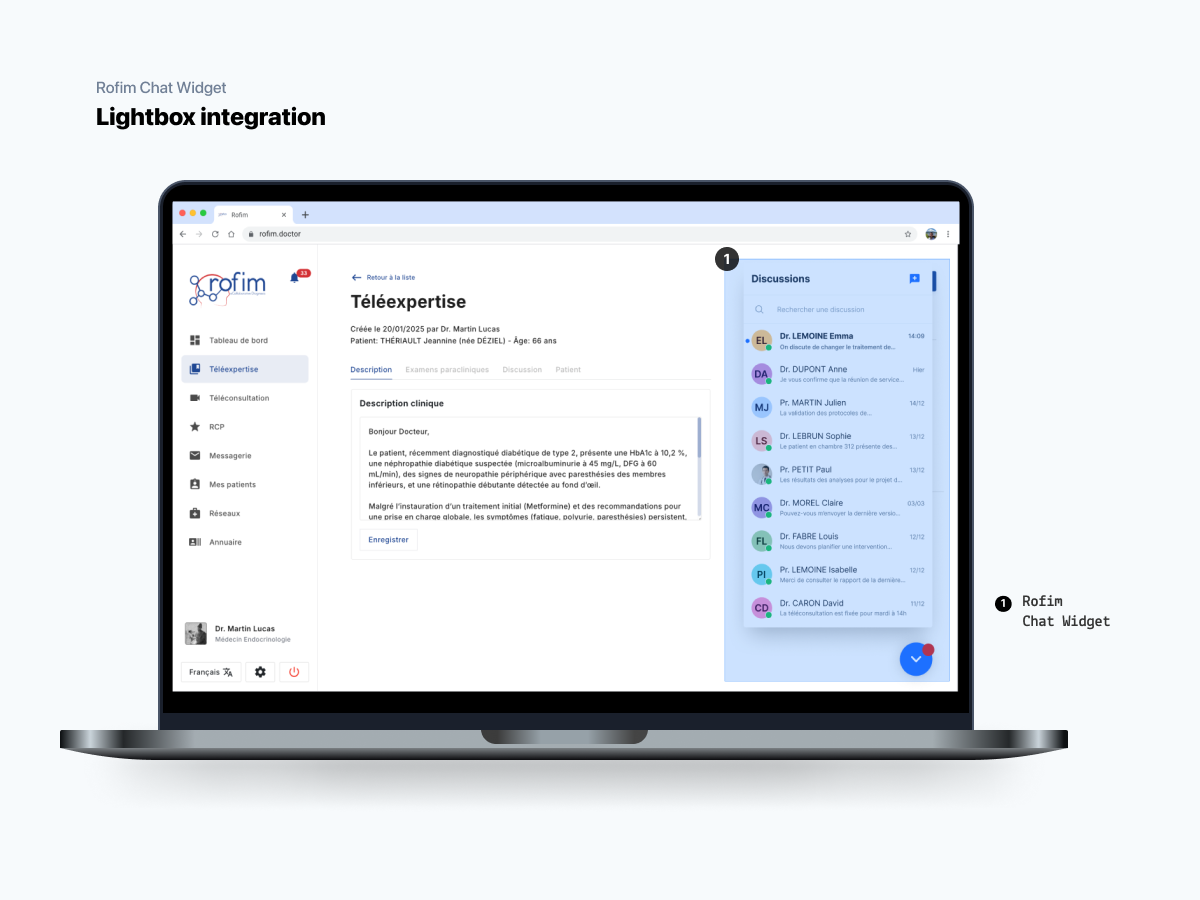
Lightbox integration
This mode allows to integrate the Sana over any web application even if the application has not been designed to receive a chat. This is the most non intrusive representation.
This representation integrates a simple button that allow the user to deploy/fold the Sana,
- Once displayed, the widget is fully available (discussion lits, chat, chat creation, etc..)
- Once folded, the button shows a red circle indicating any unread message
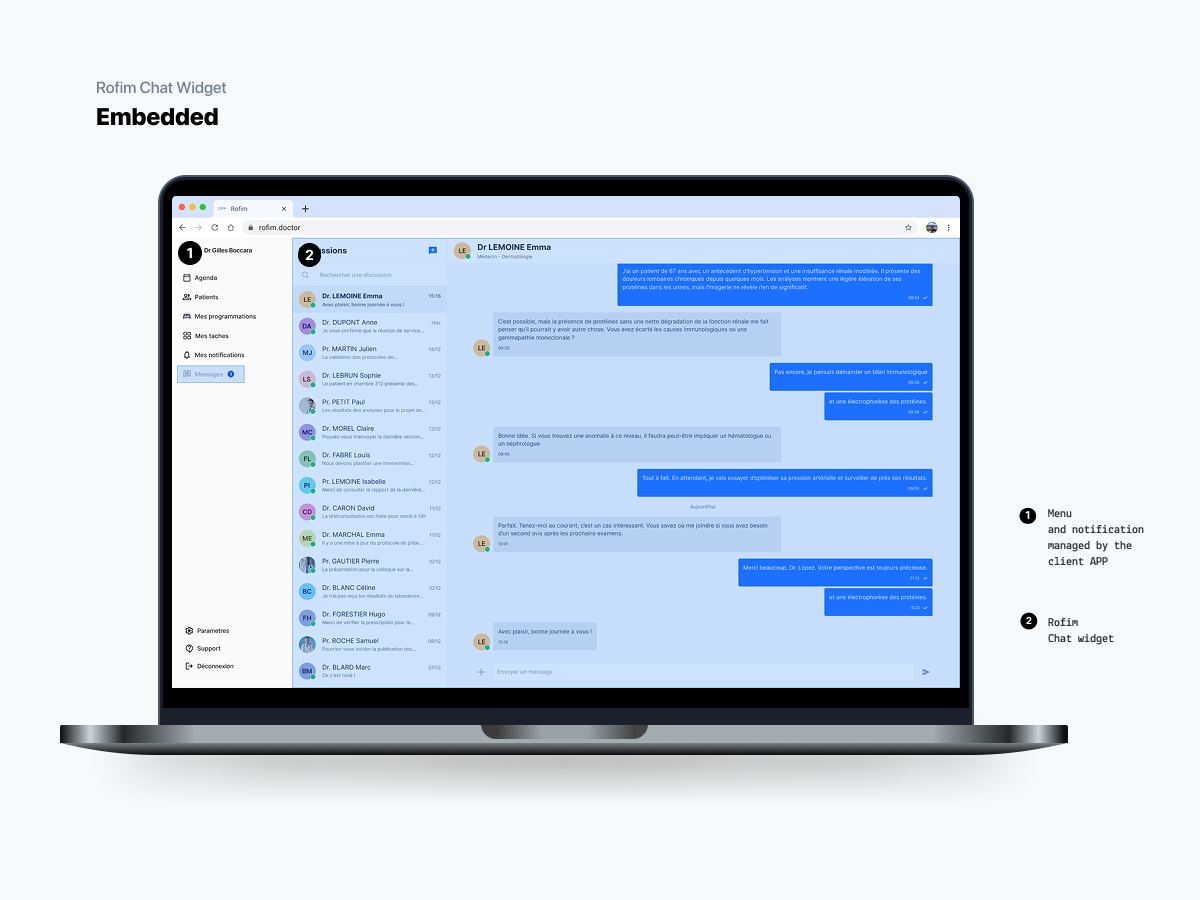
Embedded integration
This mode allows to integrate de Sana as a part of the Establishment web app. In this case the chat will probably be accessible from a specific menu entry in the Establishment web application.
Unread messages and new event message should be listened by the client application and rendered by it.
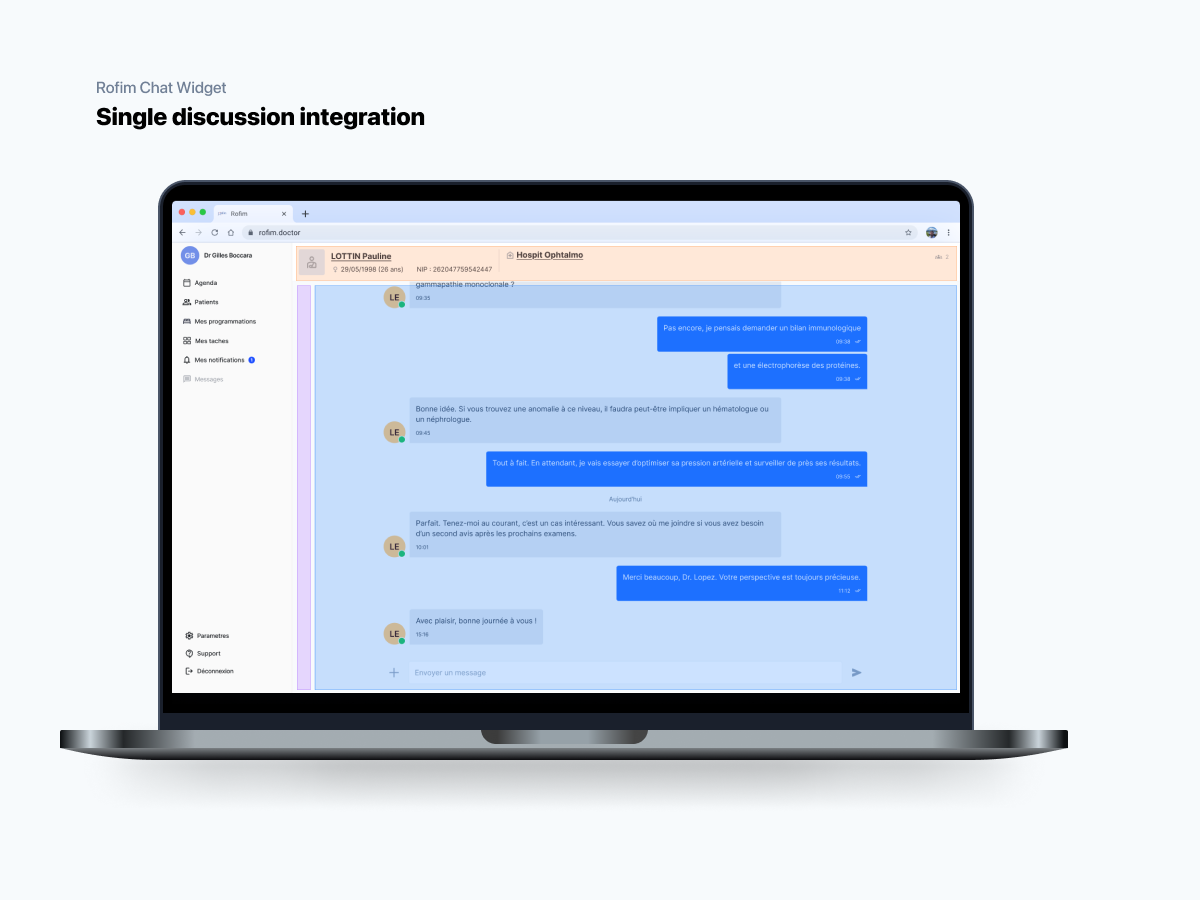
Single discussion integration
This integration is used when there's a need to integrate a single room within a page of the Establishment web app, for instance inside an medical act (teleexpertise, surgery scheduling, etc...).
With this kind of integration, only the discussion is visible, and it's not possible to select another discussion.
The header of this room can be contextualized according to the patient and the medical act.
Responsive UI
The UI is fully responsive and will adapt to any reasonable space given by the client web application.
To experience the best UX, we advice :
- Not going bellow a width of
1024pxfor a destktop experience - Not going bellow a width of
375pxfor a mobile experience
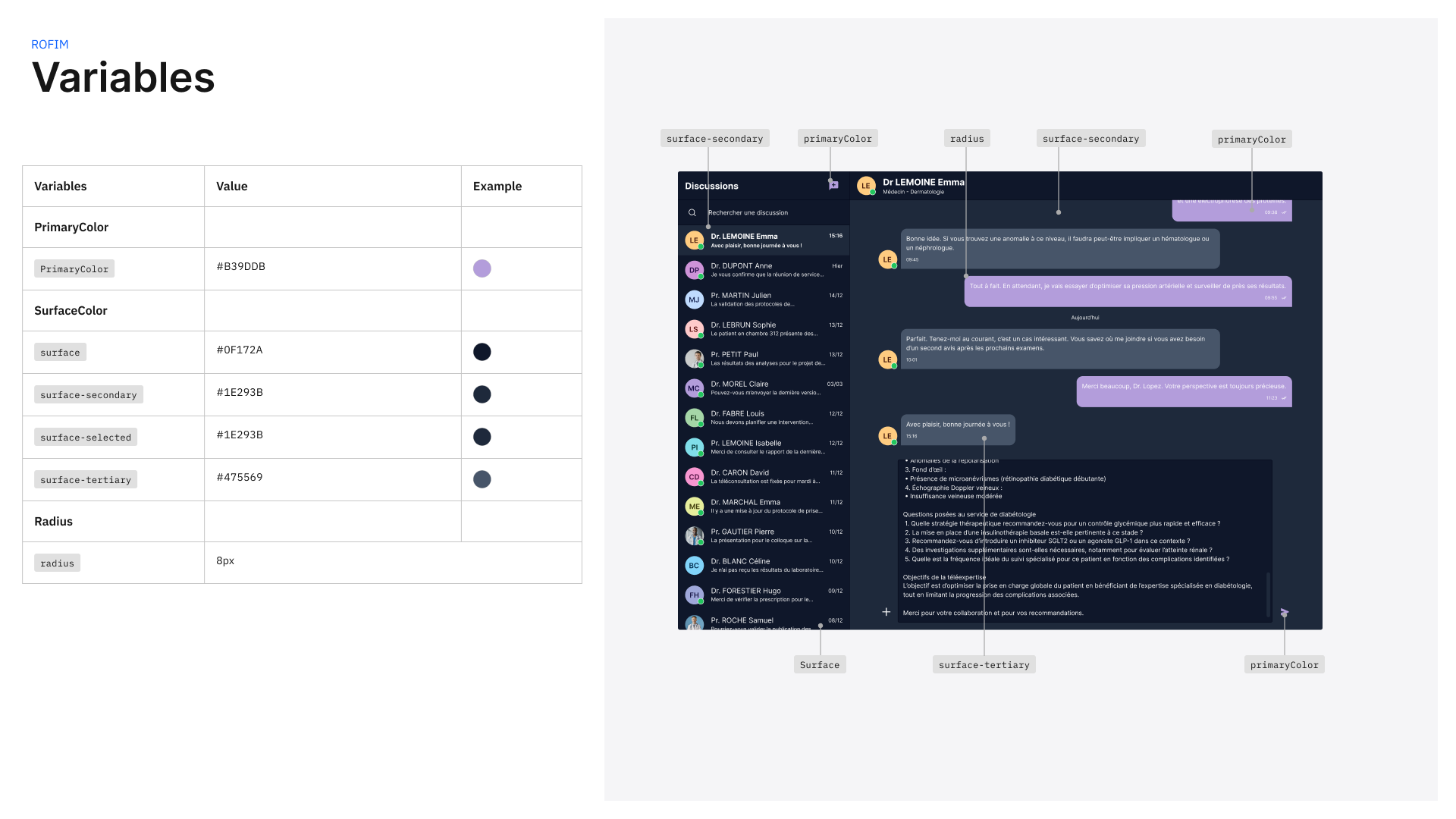
Customizing theme color
It is possible to personalize the main theme color of the application.
const sanaWidget  = document.getElementsByTagName('sana-widget')[0];
sanaWidget.uicustomizations = {
  primaryColor:'#B39DDB',
  surfaceColor:'#0F172A',
  radius: 8
};
For example :
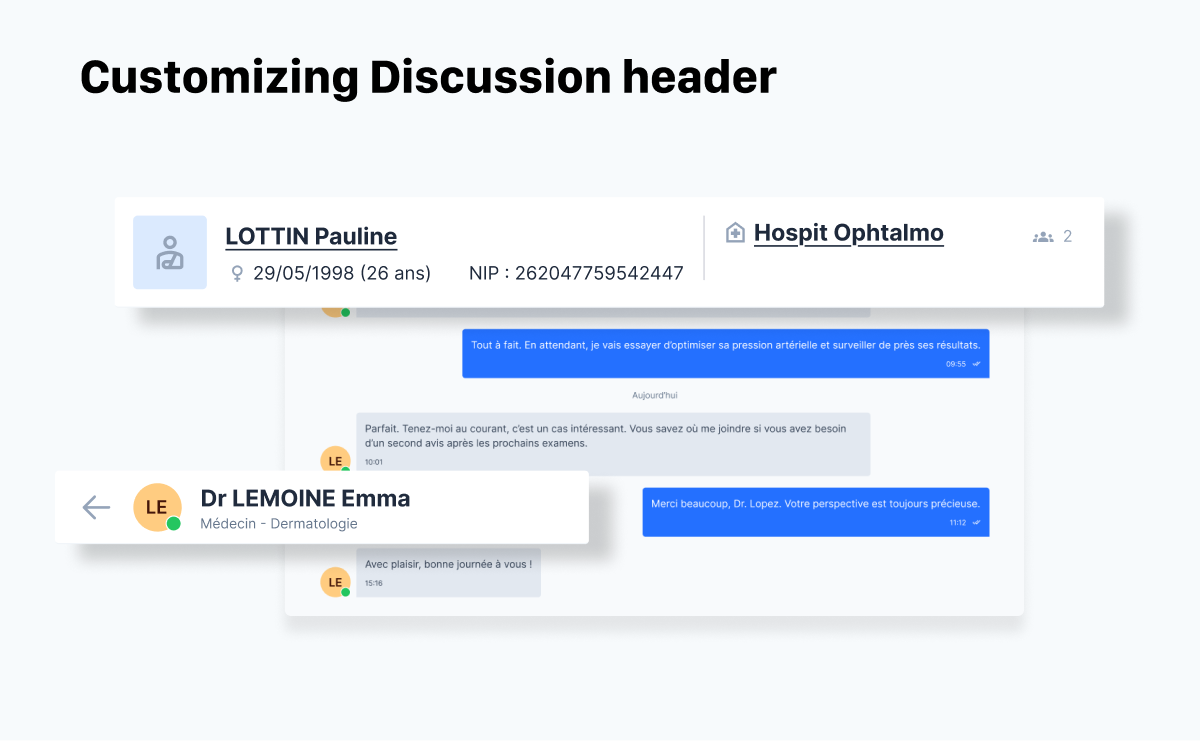
Customizing Discussion header
The discussion header change when a contextualized discussion is viewed. The data shown on this header are heavily customizable by adding context data to the discussion.
The header is divided in 2 section :
- The left part for the patient data
- The right part for the context data (act, patient stay, journey, etc...)
Bellow is a sample of what can be displayed by the Sana. The full configuration documentation is here .
Customizing Call to Action
The Sana allow the client application to add some call to action to the widget. This feature is very useful to import document from the patient directory or to export some data (documents, part of the discussion,...) to the patient directory.
The principle is quite simple :
- the client application add some call to action to the Contextualized Discussion via this API
- registered action are added to Import or export control
- When clicked by the user, and event is fired and the client web app can execute the appropriate behavior (displaying a modal for a file selection and injecting an new message to Sana via API.
Adding import action
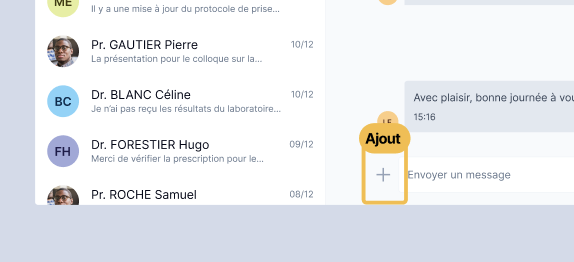
This feature will be added later to the Sana
Adding export action
This feature will be added later to the Sana
Updated 7 months ago